
Delegated Administration
Resource Management
Delegated Administration for Internal Teams and Partners
EmpowerID's Resource Admin provides a centralized hub for managing enterprise resources across your entire IT landscape. Role-based access ensures users see only what they're authorized to manage.
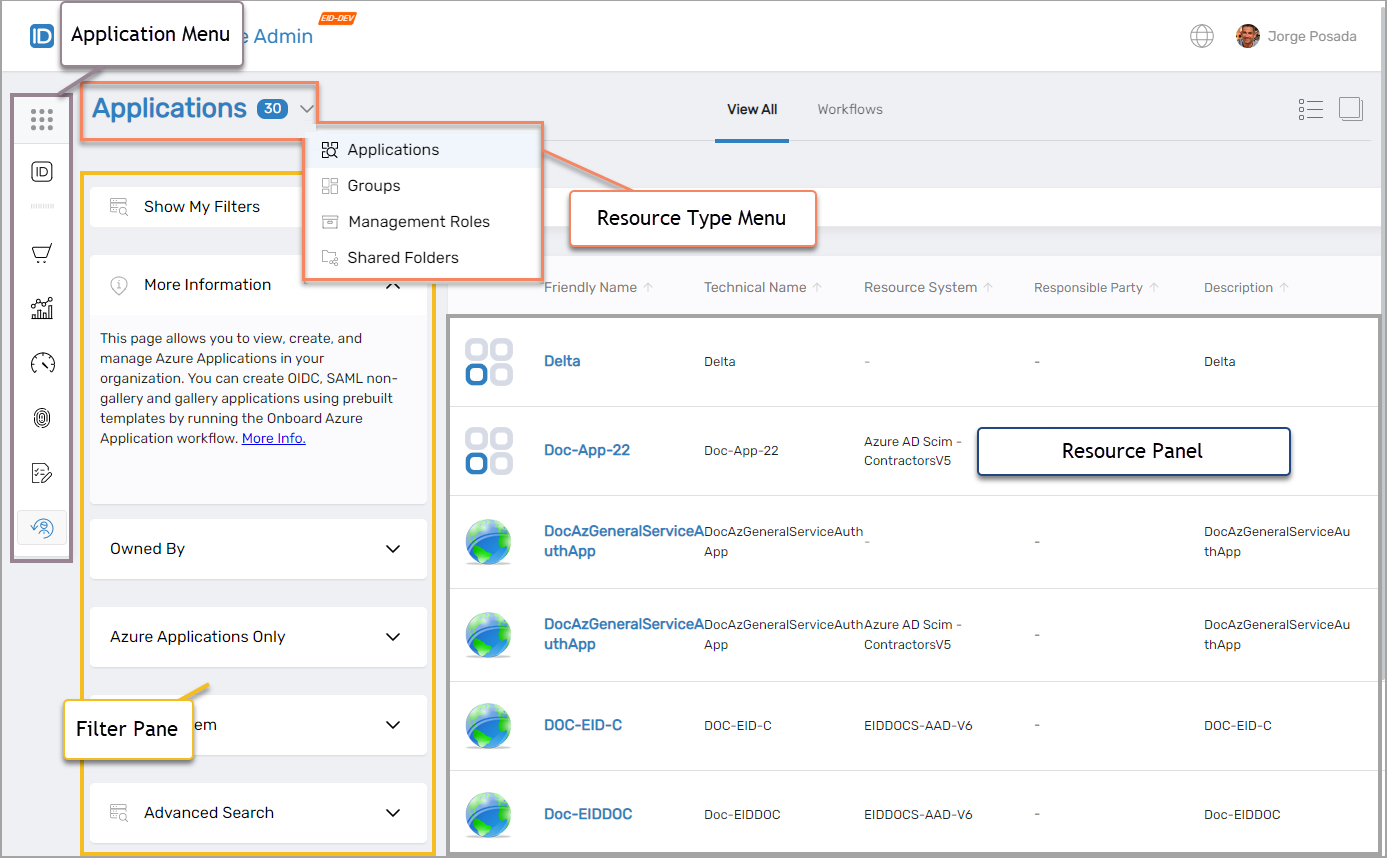
Centralized Management Hub
What is Resource Admin?
Resource Admin is your comprehensive operations hub for administering enterprise resources including applications, groups, management roles, business roles, shared folders, people, computers, mailboxes, and credentials—all within a streamlined role-based interface. Whether you're an IT administrator, application owner, partner admin, or delegated business stakeholder, Resource Admin provides access to the resources you're authorized to manage based on your permissions and ownership.
Workflow-Driven
Every action is guided by intuitive wizards. Onboard Group, Manage Application, Transfer Responsibility—all through step-by-step workflows.
IAM Shop Integration
Publish resources to the self-service IAM Shop. Users can discover and request access to groups, roles, and applications.
RBAC Automation
Configure automatic membership policies. Assign groups and roles based on department, location, or other organizational attributes.
Who Uses Resource Admin?
IT Administrators
Manage access to applications, shared folders, and groups at scale. Delegate permissions securely to business owners.
- Cross-system resource management
- Secure delegation workflows
- Complete audit trail
Application Owners
Monitor and adjust entitlements to cloud or on-prem applications you own. Maintain control without needing IT for every change.
- View owned applications
- Configure access policies
- Launch management wizards
Department Managers
Maintain group membership and approve access requests for owned resources without waiting for IT intervention.
- Manage team groups
- Approve access requests
- Review membership changes
Partner Admins
Manage partner organization resources independently within their delegated scope. Full self-service administration without access to host infrastructure.
- Isolated organization view
- Manage partner users
- B2B resource control
Core Capabilities
What You Can Manage
Application Management
Onboard, view, and configure applications. Adjust access policies and launch management wizards.
- • Onboard new applications
- • Configure app settings
- • Manage access policies
- • Track ownership
Group Management
Create and manage groups across Active Directory, Azure, and other systems from one interface.
- • Onboard new groups
- • Add/remove members
- • Review membership
- • Launch group wizards
Management Roles
Onboard Management Roles, assign permissions, and view who has access and why.
- • Create Management Roles
- • Assign role permissions
- • View entitlements
- • Adjust role policies
Shared Folder Management
Manage file share access across your organization with fine-grained control.
- • Filter by UNC path
- • Create/delete folders
- • Adjust access rights
- • Change ownership
People Management
Onboard, terminate, disable, and manage people across your enterprise.
- • Onboard new people
- • Terminate employees
- • Disable/enable accounts
- • Transfer responsibility
Mailbox Management
Manage Exchange and Office 365 mailboxes with delegated administration.
- • Create mailboxes
- • Manage permissions
- • Configure settings
- • Track usage
Business Role Management
Manage Business Roles that represent job functions within your organization. Combine with Locations for polyarchical RBAC.
- • Create Business Roles
- • Assign to People
- • Map to Locations
- • Define access levels
Computer Management
Manage computer lifecycle, including onboarding, access configuration, and maintenance tasks.
- • Onboard computers
- • Configure JIT access
- • Reset passwords
- • Enable/disable systems
Credentials Management
Vault and manage privileged credentials with full lifecycle control, including onboarding, requesting, and secure checkout.
- • Onboard credentials
- • Request/checkout
- • Approve requests
- • Password rotation
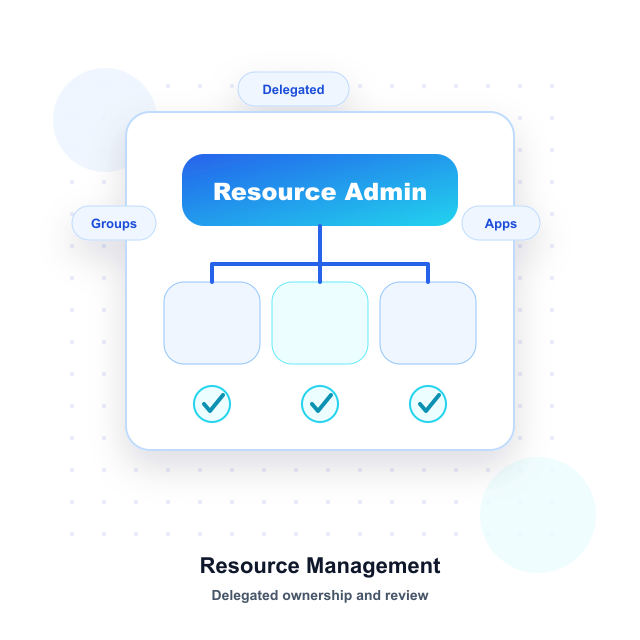
Self-Service Portal
IAM Shop Integration
Make resources requestable through the IAM Shop self-service portal. Users can discover and request access to groups, roles, and applications without IT intervention.
Resource Discovery
Users browse a catalog of requestable groups, roles, and applications. See descriptions, access levels, and approval requirements before requesting.
Flexible Access Policies
Configure eligible assignees, preapproved assignees, and suggested assignees. Set custom approval workflows and access request policies per resource.
Time-Bound Access
Configure automatic expiration and time constraints. Grant temporary access that automatically revokes after a specified period.
Access Control
Flexible Multi-Tier Ownership Model
Resource Admin supports a dynamically defined ownership structure ensuring clear accountability and management continuity at any organizational level.
Responsible Party
Ultimate business accountability. Responsible for recertification decisions, lifecycle management, and compliance. Typically a business leader or executive sponsor.
Owners
Day-to-day management. Can modify resource properties, manage membership, configure settings, and approve access requests. Multiple owners provide coverage.
Deputies
Backup managers. Act when primary owners are unavailable. Provide business continuity and vacation coverage. Ensure uninterrupted resource management.
Dynamically Defined Ownership Tiers
The ownership model is not limited to three levels. Organizations can define additional ownership tiers based on their specific governance requirements, organizational structure, and delegation policies. This flexibility supports complex multi-partner enterprises, hierarchical organizations, and custom delegation scenarios.
Precision Control
Powerful Filtering & Search
Find exactly what you need with advanced filters. Stack multiple filters together for targeted results across all your resources.
Owned By Filter
Display only resources you own, resources owned by a specific user, or all resources
Target System
Filter by Account Store Type or specific Account Store
Application Filter
Narrow to groups or roles related to specific applications
Advanced Search
Use keyword or field-driven filtering for precise results
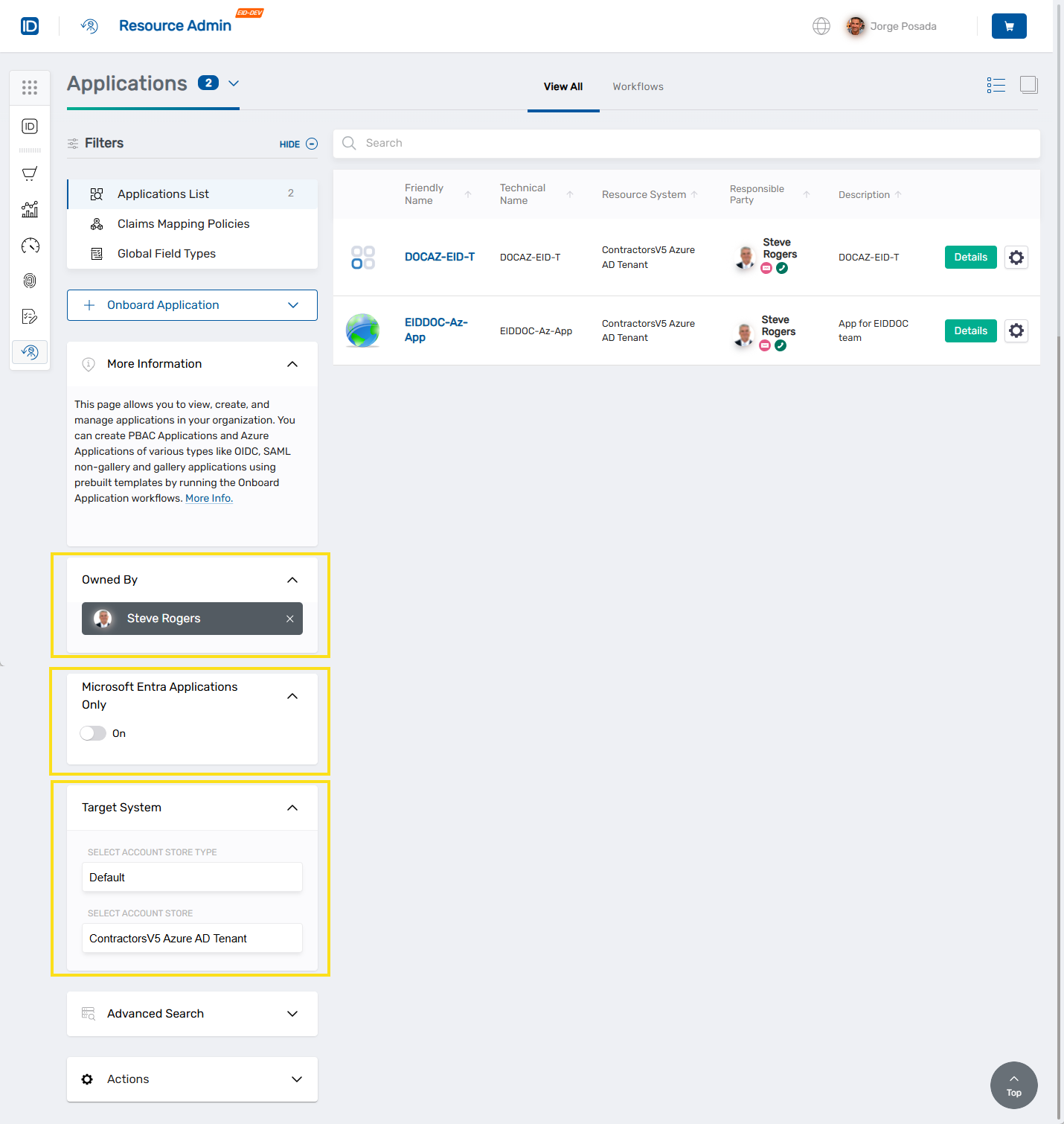
Stack Multiple Filters
For targeted results
User Experience
Intuitive Interface Design
Resource Admin provides a clean streamlined interface designed for efficiency. View resources in card or grid view and take action with one-click workflows.
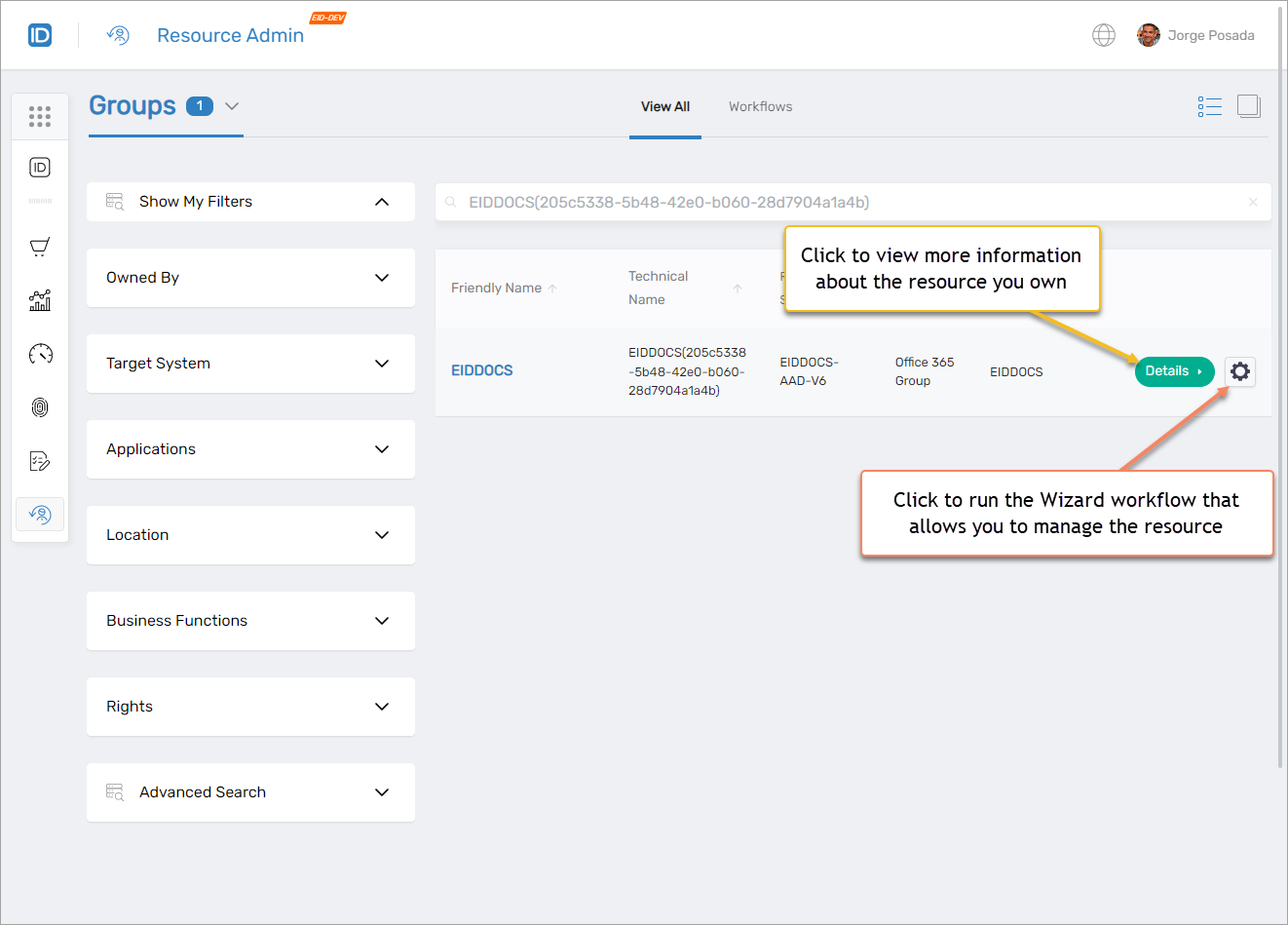
Resource Panel
Lists resources in card or grid view. Launch Details or Wizard workflows directly from each card. Toggle between views to match your workflow preference.
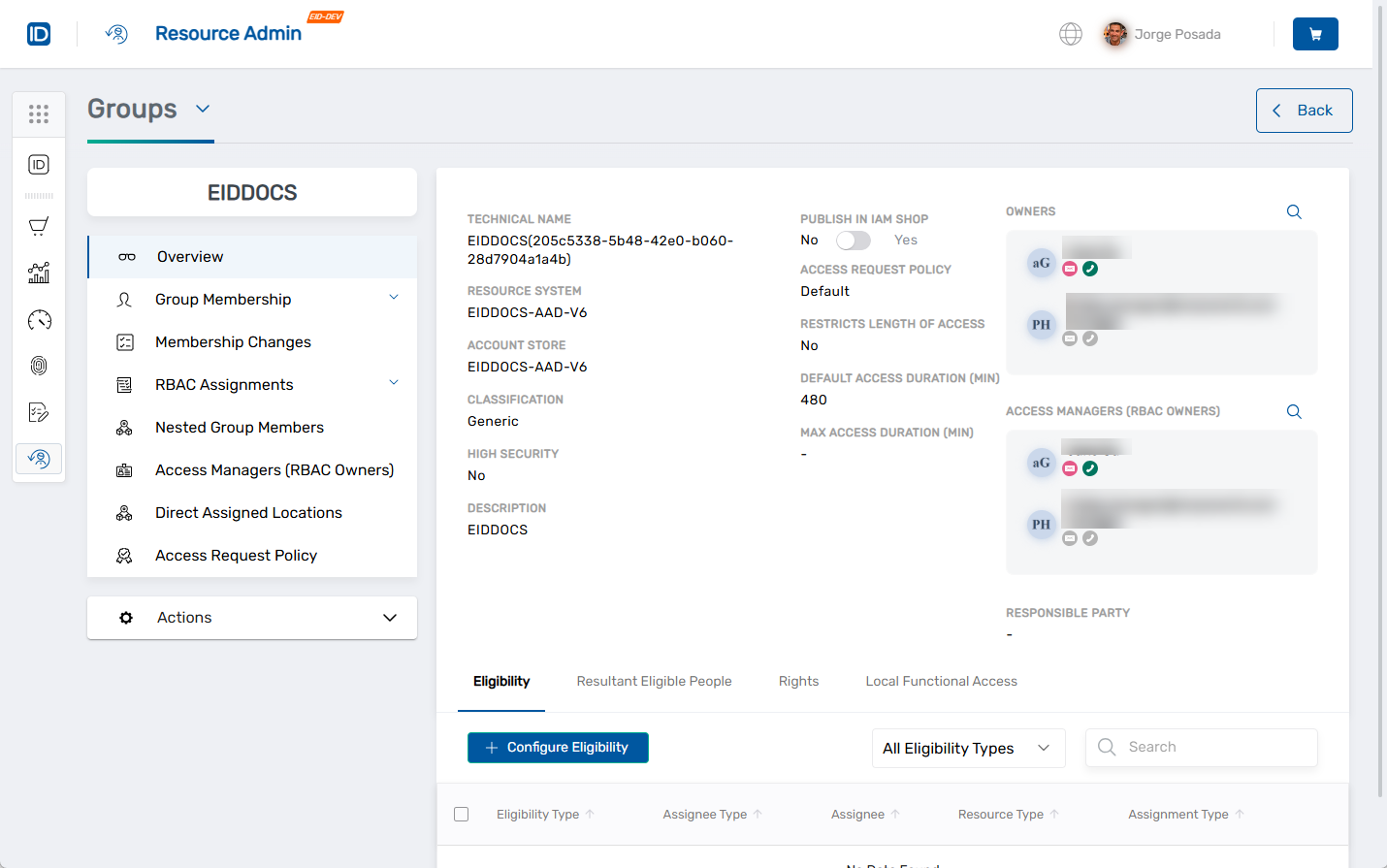
Overview Pages
Clicking Details opens a tabbed interface where you can review details, manage memberships, adjust permissions, or track audit history depending on the resource type.
Guided Processes
Everything Is a Workflow
Every resource management action is guided by intuitive step-by-step wizards. No complex interfaces or training required—just follow the prompts.
Onboard Workflows
Create new resources with step-by-step guidance:
- • Onboard Group
- • Onboard Management Role
- • Onboard Azure Application
- • Onboard a New Person
Manage Workflows
Modify existing resources:
- • Edit Group Attributes
- • Edit IAM Shop Settings
- • Edit RBAC Policies
- • Edit Owners
People Workflows
Manage user lifecycle:
- • Move Person
- • Transfer Responsibility
- • Terminate People
- • Reset Password
Collaboration Tasks
Async workflow support:
- • Create tasks in My Tasks
- • Resume later
- • Complete or cancel
- • Track progress
Multiple Onboarding Modes
The Onboard Person workflow offers three approaches: Simple Mode for quick standard setups (5 min), Advanced Mode for detailed configurations (15 min), and From Another Person to copy and modify existing setups (10 min). Choose the method that fits your needs.
Why Resource Admin Matters
Empower Delegated Administrators
Delegate administration to the people who understand their resources best. Internal teams, application owners, department managers, and partner admins can manage their resources without IT bottlenecks.
Maintain Security
Role-based access ensures users only see what they're authorized to manage. Complete audit trails track every action for compliance and security.
Unified Management
Manage resources across Active Directory, Azure, SharePoint, file systems, and more from one interface. No more jumping between multiple consoles.
Reduce IT Burden
Free up IT resources by enabling self-service resource management. Workflow-driven processes ensure consistency while reducing manual work.
Empower Delegated Administration
See how Resource Admin enables secure self-service for internal teams and partners while maintaining security and compliance.
